Your Fishing Spots,
Managed Better
Save, organize, and share your fishing spots from any browser — phone, tablet, or desktop. Import GPX and CSV waypoints from any GPS, chartplotter, or fish finder. No app download required. Your spots are encrypted and private — only you control who sees them.
Everything You Need on the Water
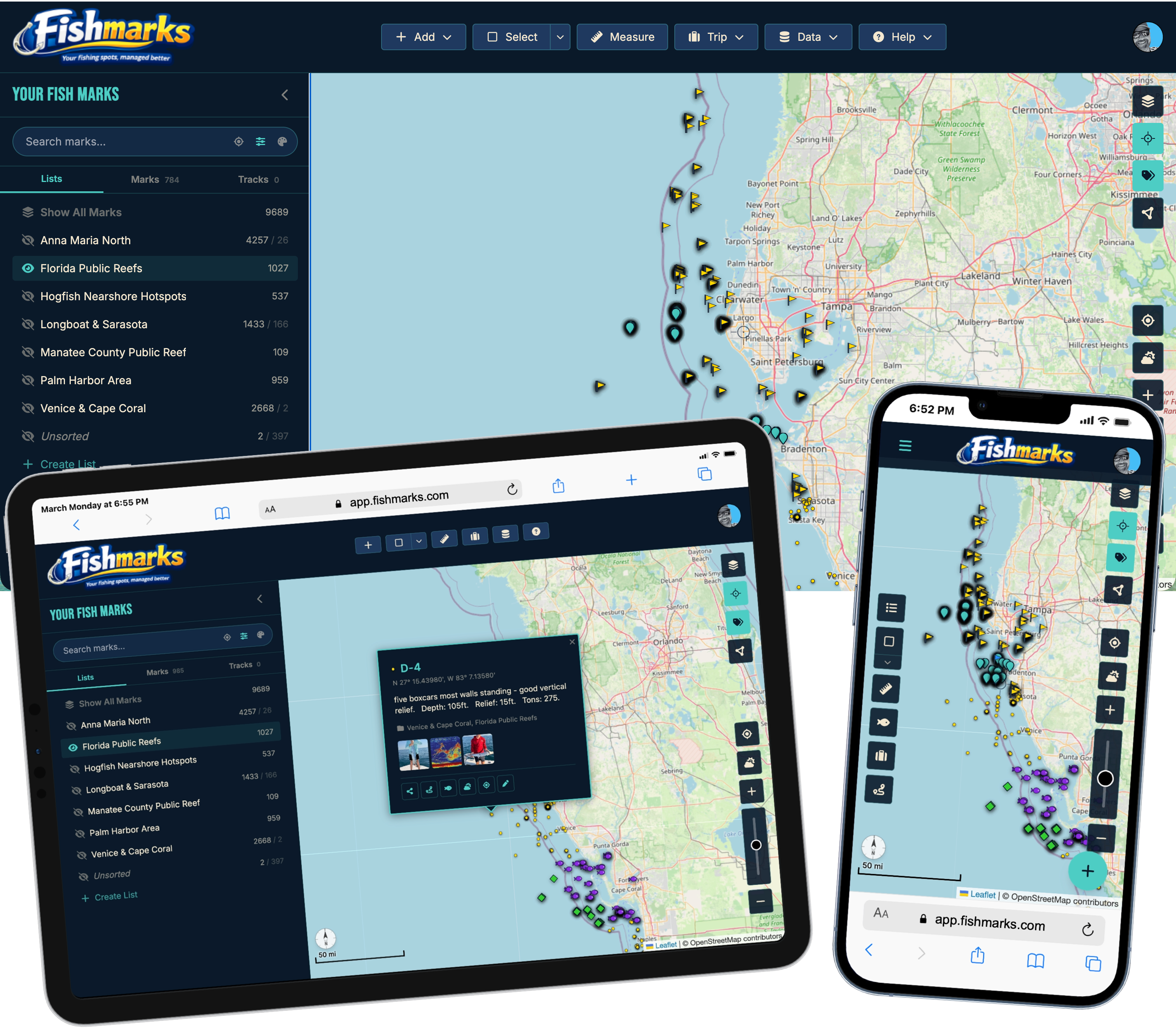
Powerful waypoint management, real-time sharing, and optional client-side AES-256 encryption — all from your browser, on any device. No app store. No subscriptions to access your own data.
GPS Marks
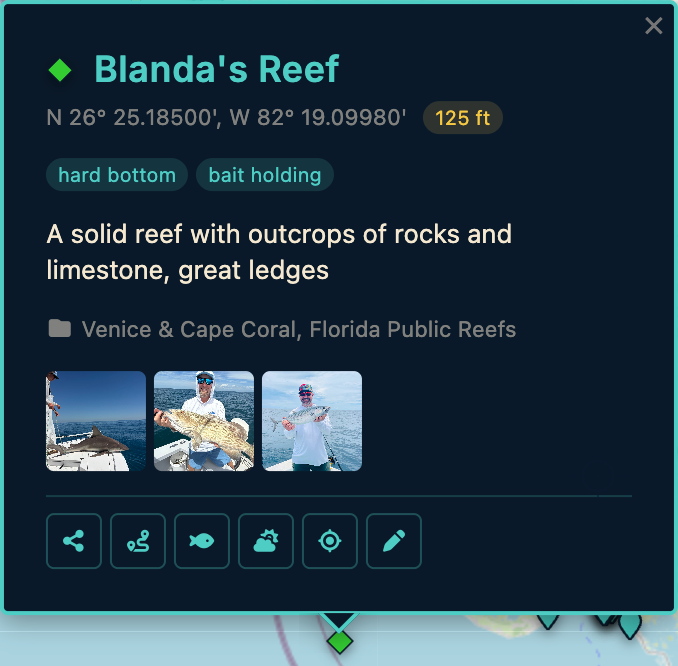
Save unlimited spots with full-length names, detailed notes, custom tags, and symbols. No character limits, no restrictions on how you organize your marks.
GPX & CSV Import/Export
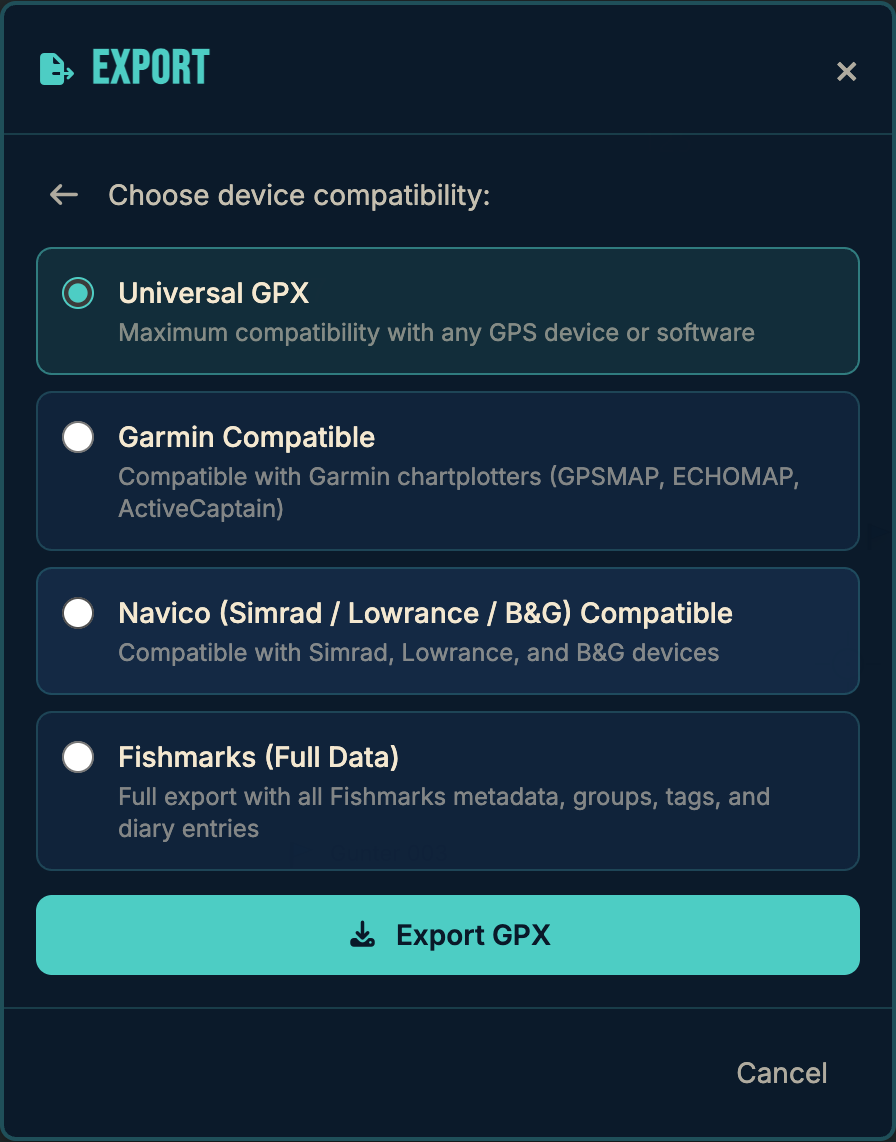
Import and export both GPX and CSV — not just one format. Works with Garmin, Lowrance, Humminbird, Simrad, Raymarine, and any device that speaks standard waypoint files. Browse waypoint vendors →
Friend List Sharing
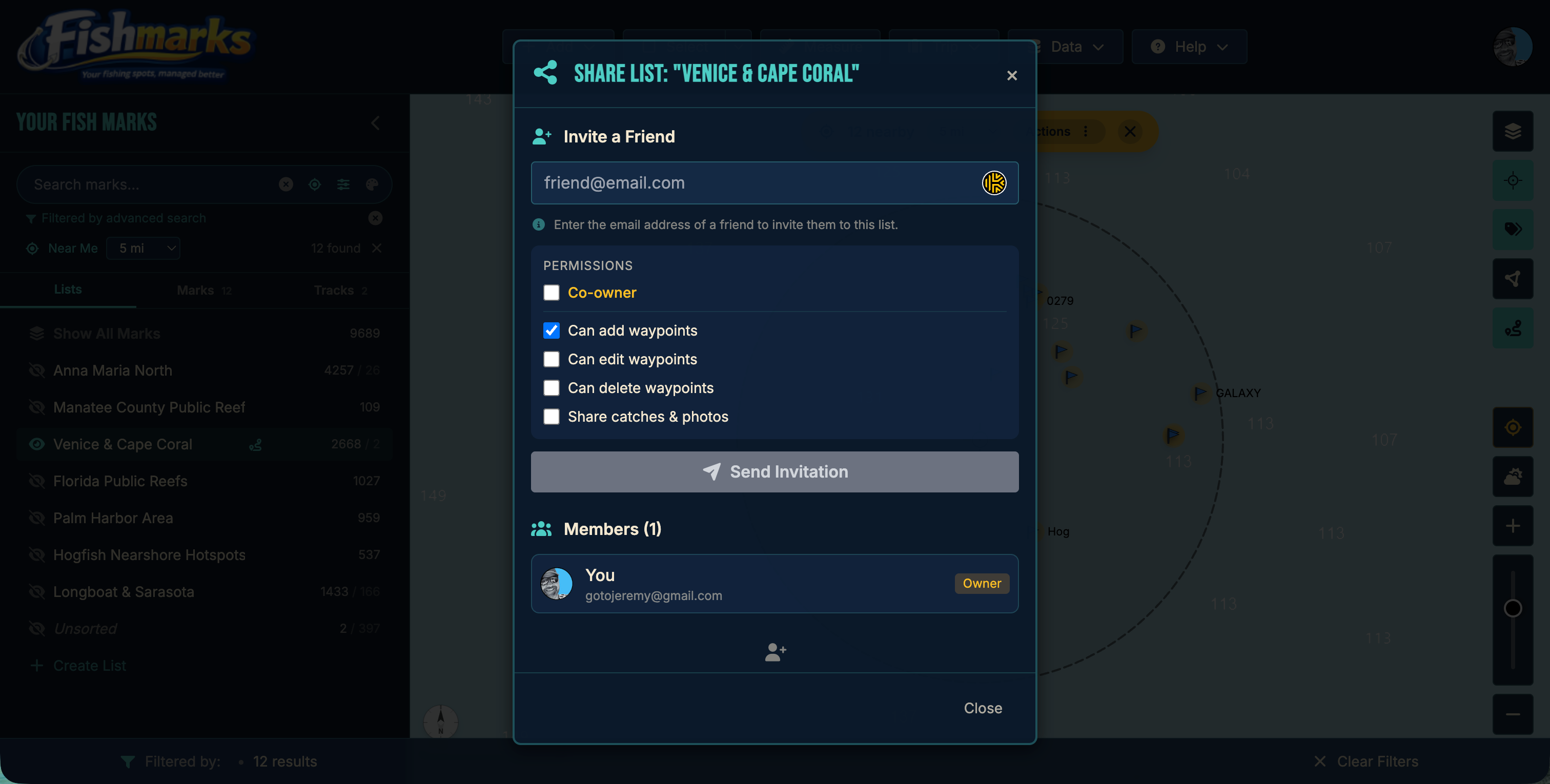
Share lists with your crew in real time — not by emailing GPX files back and forth. Control who sees what, and collaborate live on shared spots.
Float Plans
USCG-style safety documents for any trip. Share vessel details, planned spots, people onboard, and emergency contacts with a land-based holder — if you don’t check in on time, they get an escalation email so help can reach you. Free for every tier.
Catch & Trip Logs
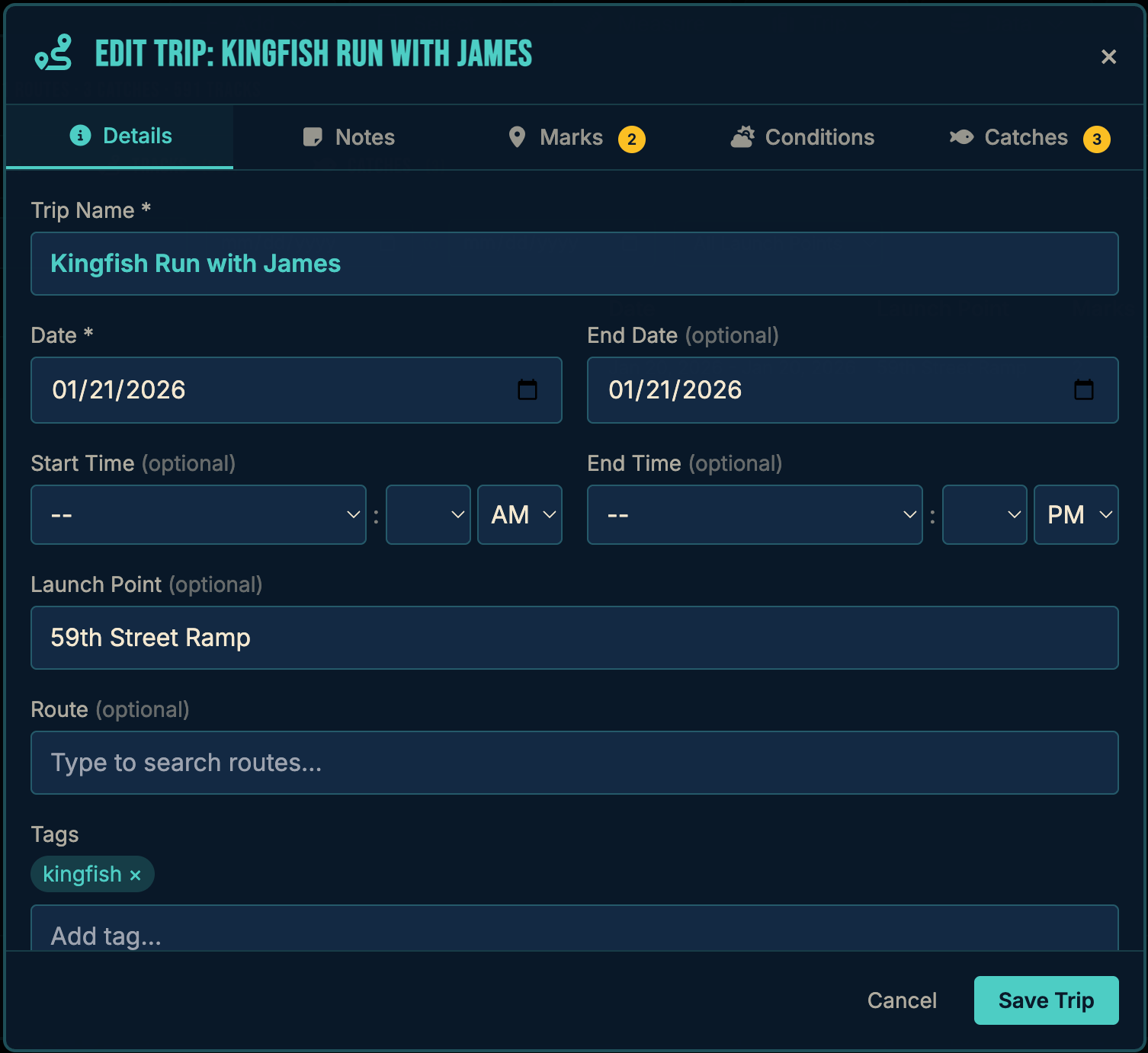
Record every catch with species, weight, length, bait, and photos. Log trips with conditions and build your fishing diary.
Marine Charts & Maps
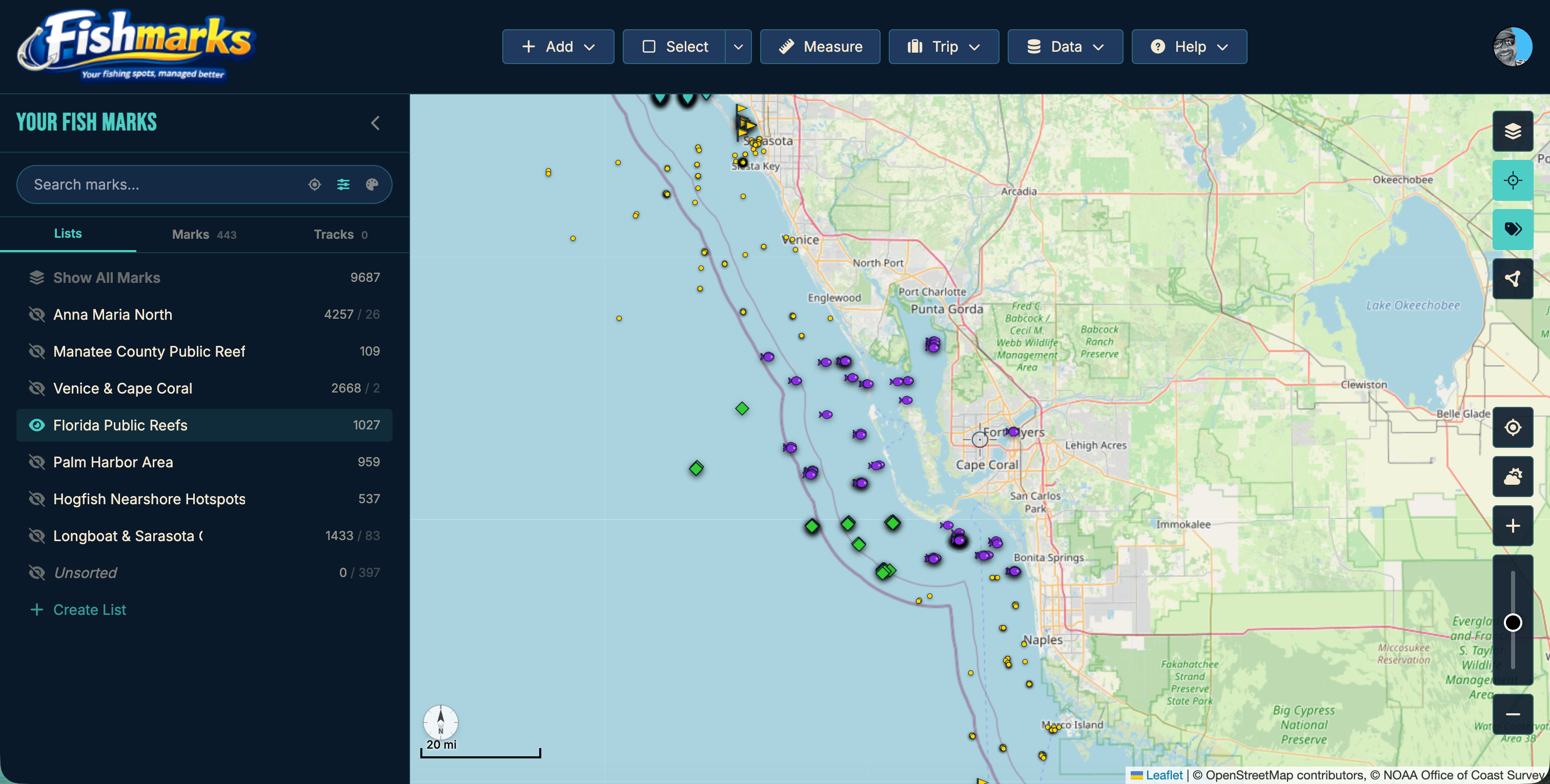
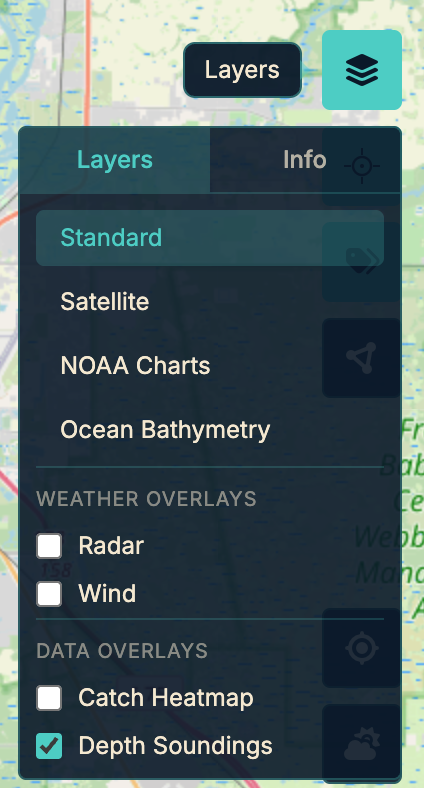
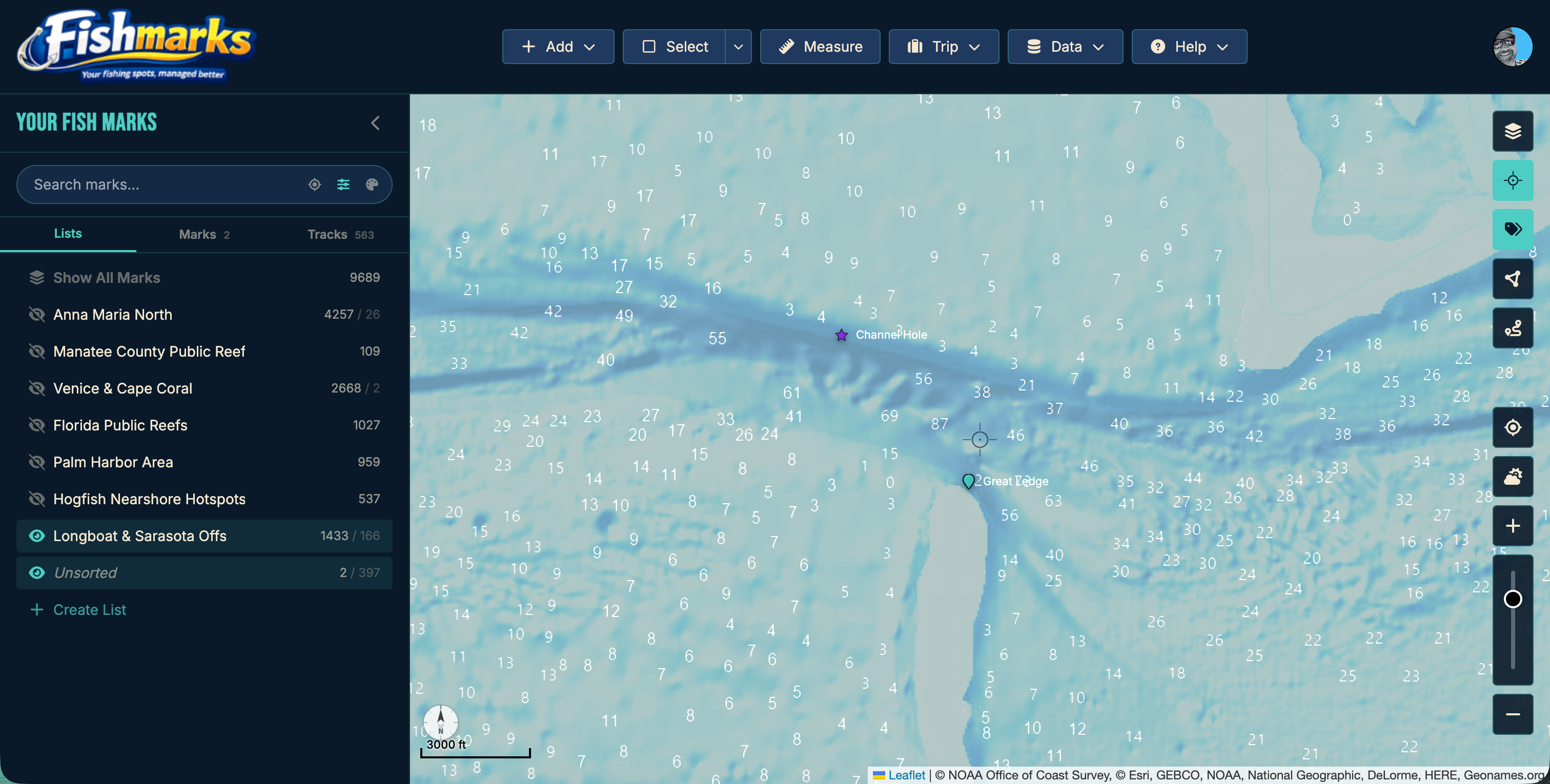
NOAA nautical charts, high-resolution satellite imagery, ocean bathymetry with depth soundings, and live radar — layered together in one view.
Weather, Wind & Tides
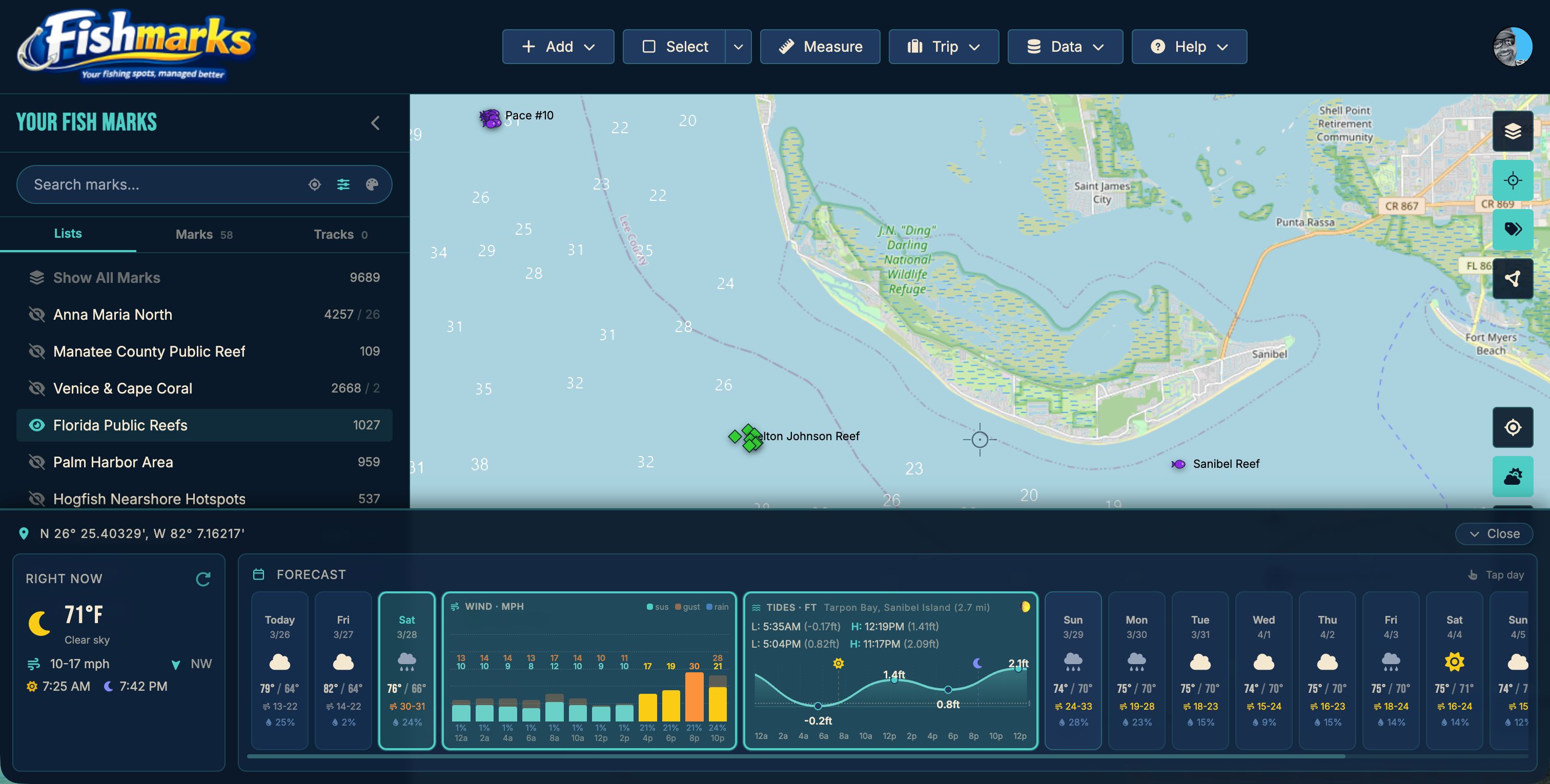
Real-time weather forecasts, current winds, tide predictions, moon phases, and NOAA alerts before you head out.
Lists & Dynamic Lists
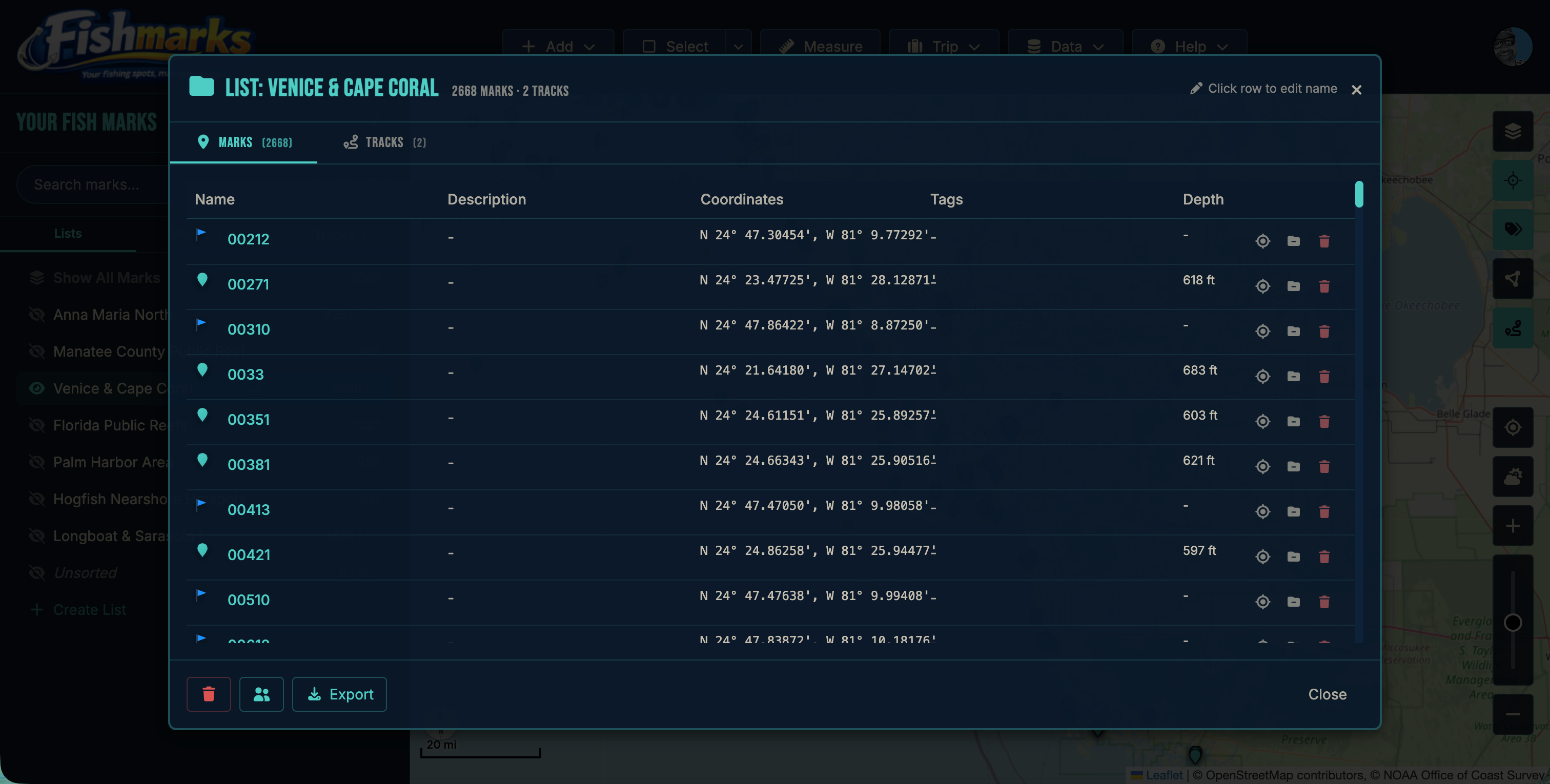
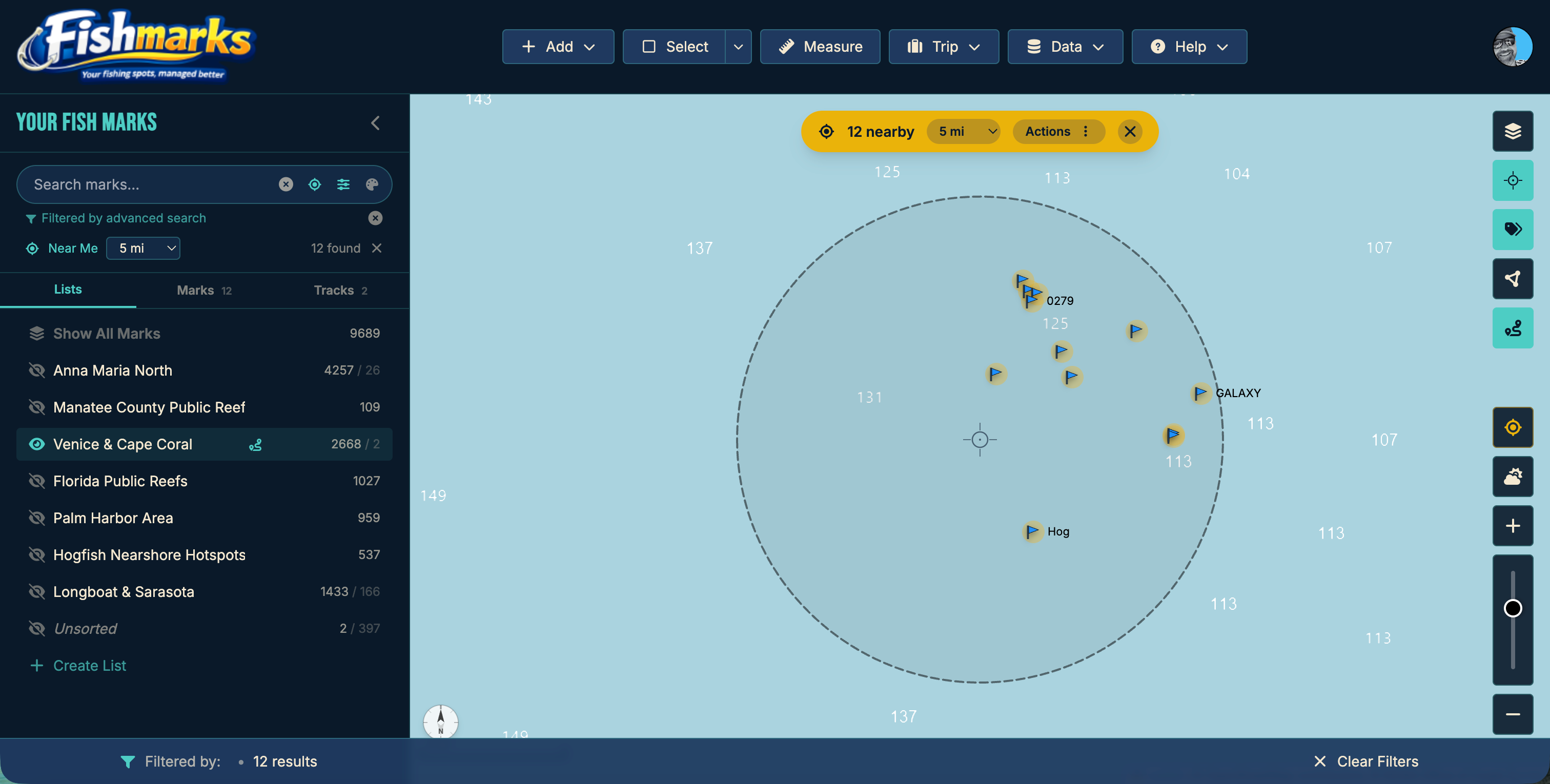
Organize marks into custom lists or rule-based dynamic lists that populate automatically. Bulk move, tag, rename, and clean up duplicates across thousands of marks.
Duplicate Remover
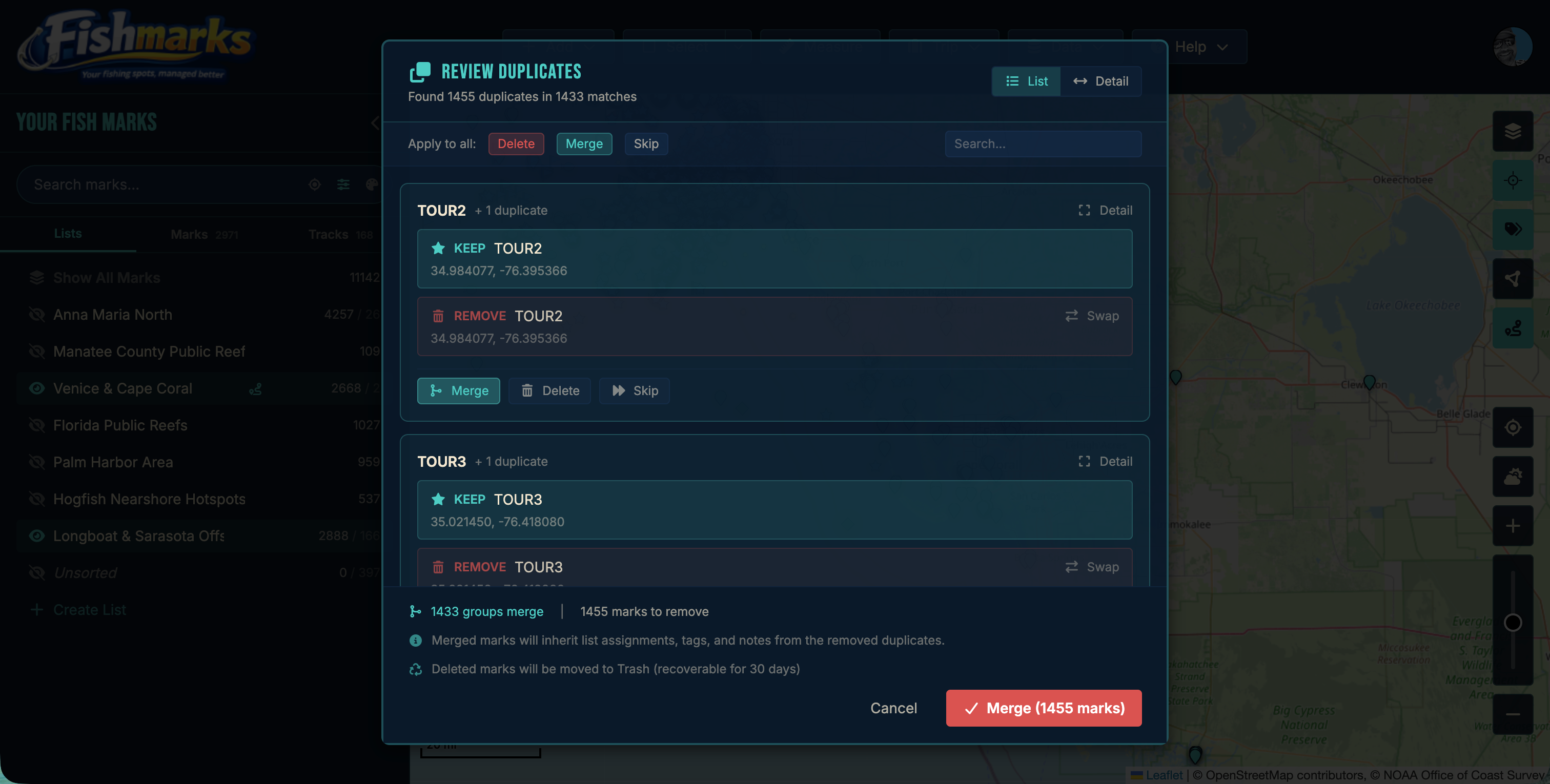
Find and clean up duplicate marks in seconds. Proximity-based matching catches near-duplicates from re-imports across devices; exact-match cleanup handles obvious copies. Tags and notes merge into the survivor so nothing is lost.
Routes, Tracks & Distance
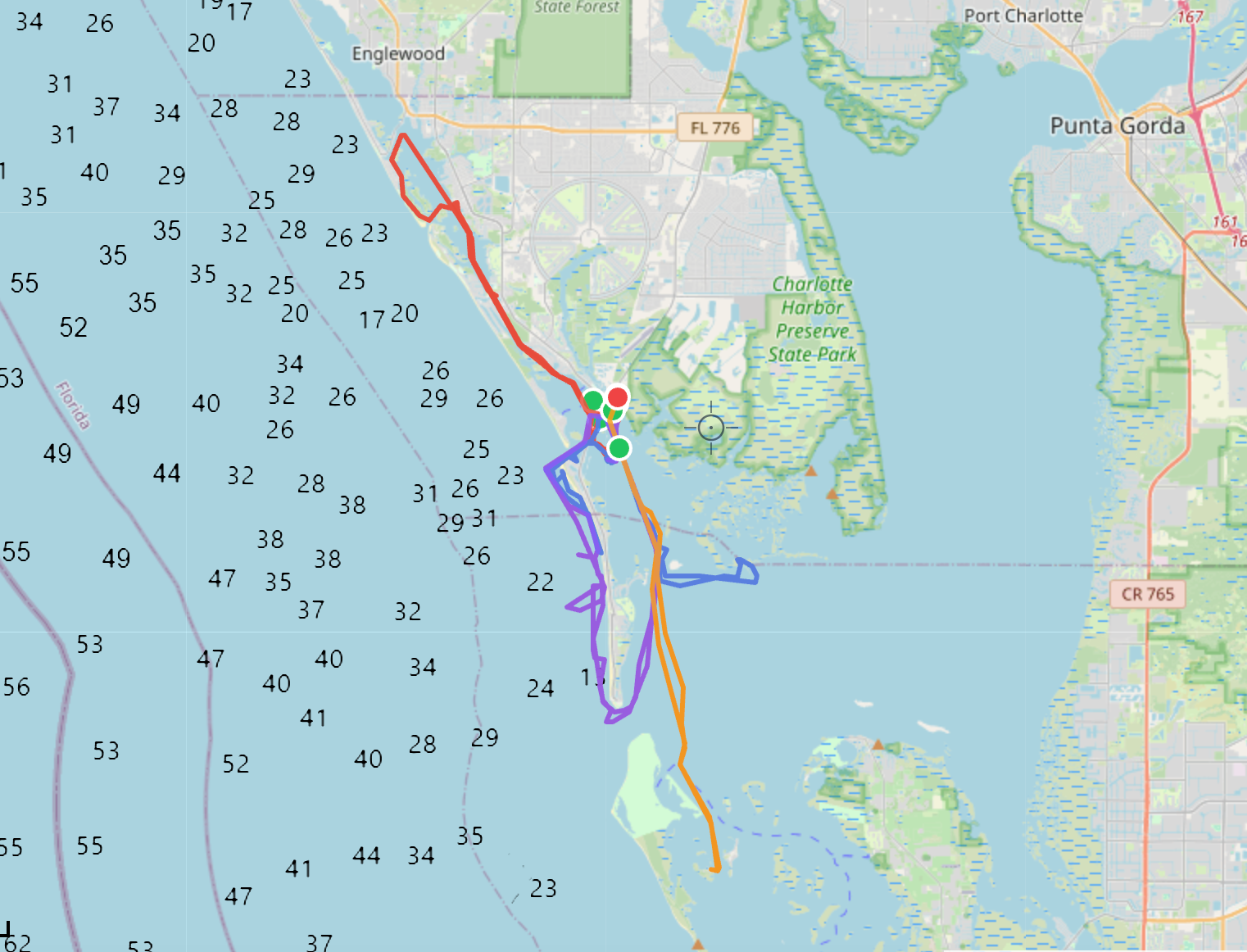
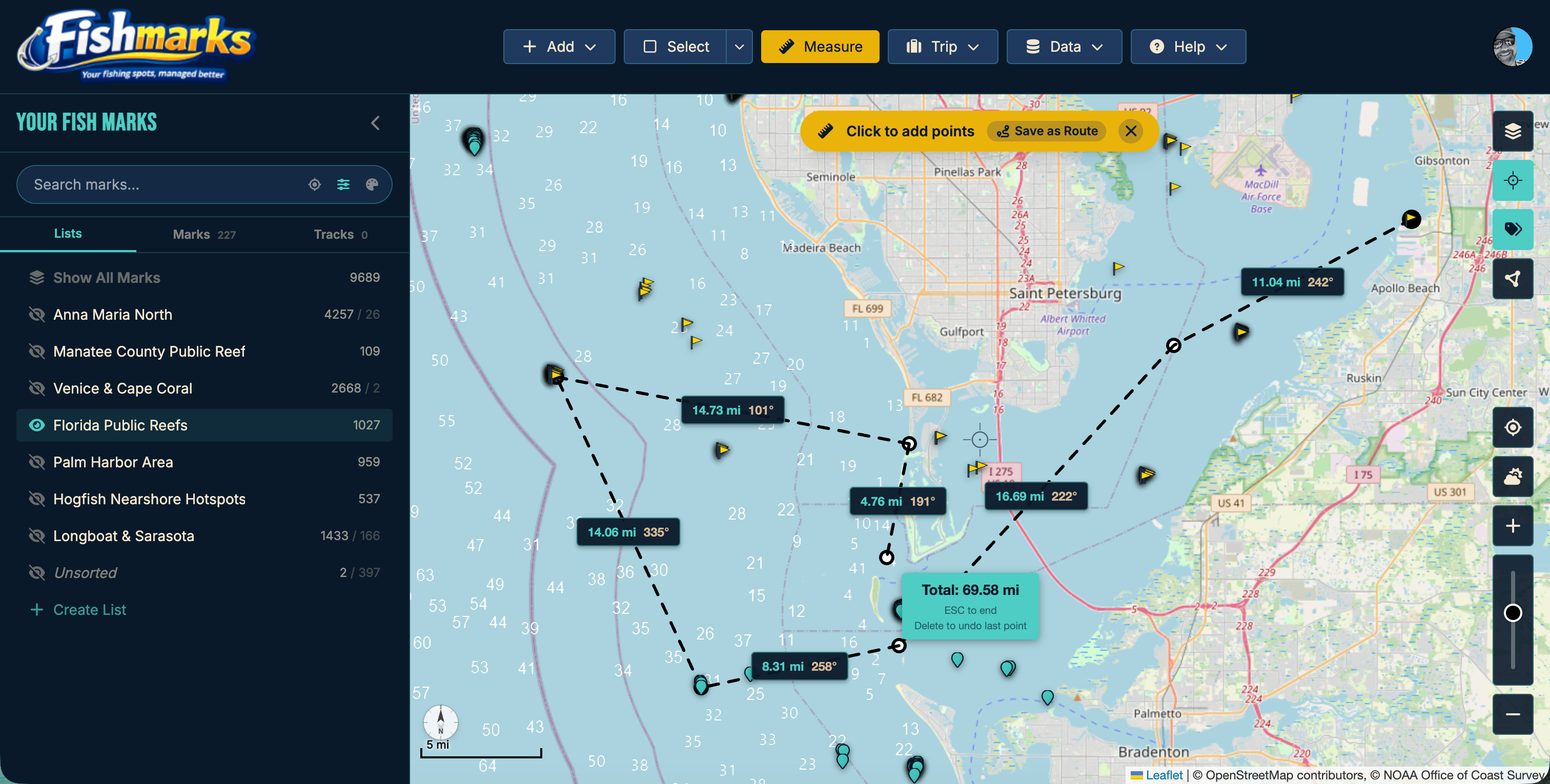
Plan multi-stop routes between marks, record live GPS tracks on the water, and measure point-to-point distance. Review your tracks to see exactly where you ran.
Track Cleanup
Clean up noisy GPS tracks in one pass. Strip stationary points, smooth jagged segments, and remove drift from the same trip. Your recorded paths become readable lines on the map without losing the route you actually ran.
Bottom Hardness
Visualize bottom hardness from mud to rock using 685,000+ NOAA/USGS seafloor samples. Find hard bottom, reef edges, and substrate transitions that hold fish.
Catch Analytics & AI
Charts and statistics across your catch history — species breakdown, seasonal trends, weight distribution, and top spots. AI-powered insights help you fish smarter based on your own data.
Flexible Tagging
Tag your marks with anything that matters — structure type, target species, bait that worked, conditions, seasons, or your own shorthand. Filter and build dynamic lists from your tags to surface patterns across your entire library.
HD Relief Shading
High-resolution terrain shading reveals underwater ridges, drop-offs, and structure at a glance. See the bottom contour without switching to a depth chart.
Catch Heat Maps
Turn your catch history into a heat map overlay. See where your bites concentrate by species, season, or time of day — and spot productive zones you might have missed.
Offline Access
Cache your marks and maps for use without cell service. View, add, and edit waypoints offshore — everything syncs automatically when you’re back online.
Mobile Access
Runs in any browser on any device — no app store download, no storage bloat, no forced updates. Your marks are always one click away.
Introducing Fishmarks Connect™
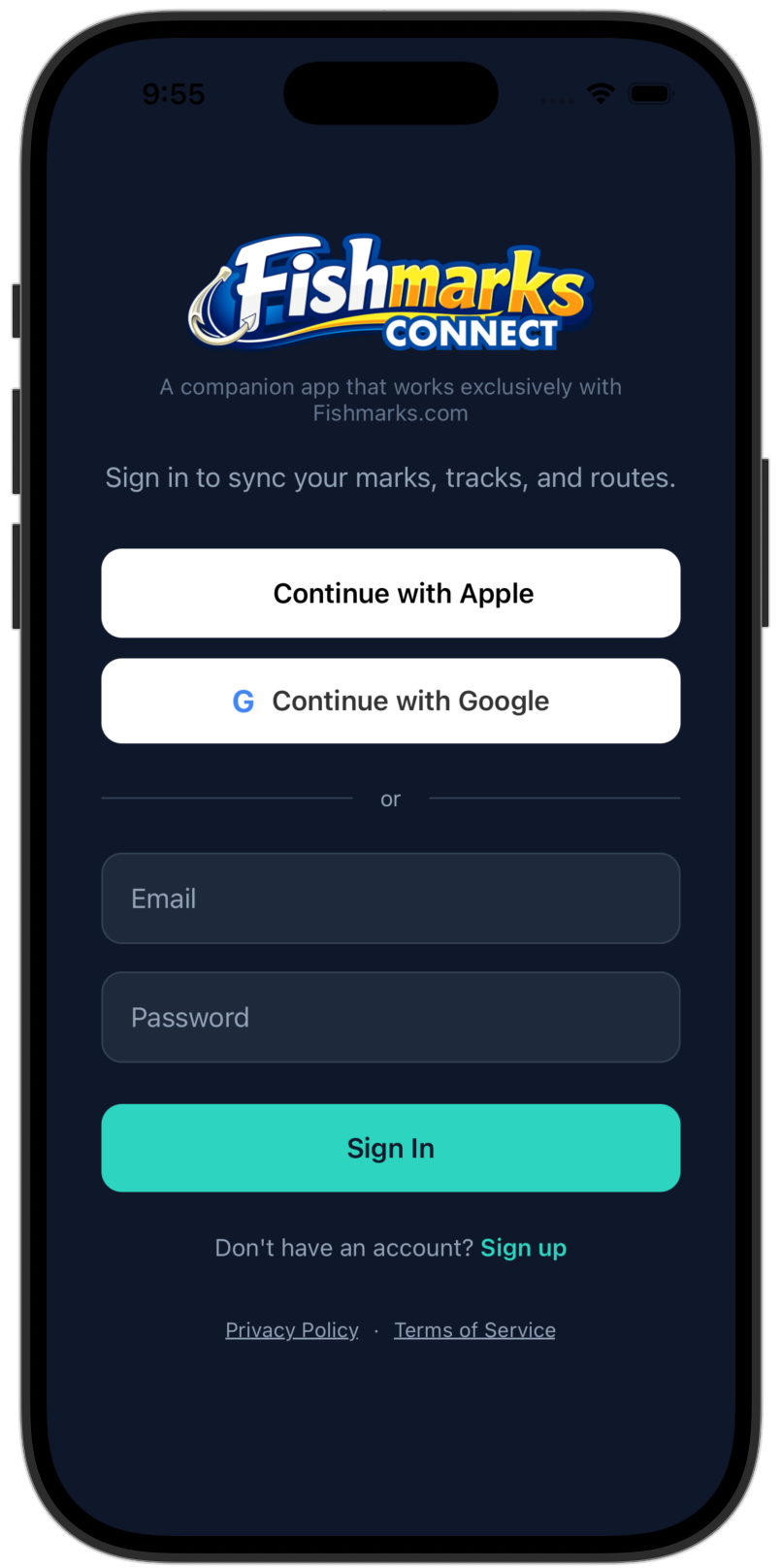
The companion iOS and Android native app for Fishmarks. With this app you can avoid the SD card shuffle and import/export your marks, tracks and routes directly from your chartplotter app to Fishmarks.
Import, Export & Share
Bring GPX files in from your chartplotter app or other tools, send your marks back out, and share spots with friends in real time.
Offline Access*
Cached marks, tracks, and routes stay on the device when you head offshore. Edits queue and sync automatically when you’re back in range.
Route & Trip Planning
Build multi-stop routes between marks, add people onboard and gear notes, and have the day mapped out before you leave the dock.
Record Catches
Log catches on the water with species, length, weight, photos, and conditions. Tide and moon phase auto-tag from your GPS timestamp.
Sync Without SD Card
Push marks directly to ActiveCaptain, Simrad App, and other chartplotter apps over the device’s share sheet. No SD card shuffle.
Weather & Safety Info
Real-time wind, tide, marine forecasts, plus USCG-style float plans you can activate before you cast off — free for every tier.
* Offline view and edit shipped; offline create and delete are on the roadmap.
Never Lose a Spot Again
Join anglers who trust FISHMARKS to manage their fishing marks. Free to start, no credit card required.
Launch FISHMARKSUp and Running in Minutes
No downloads required. FISHMARKS runs in your browser on any device.
Create an Account
Sign up for free in seconds. No credit card required. You can even try it as a guest first.
Add Your Spots
Drop waypoints on the map, import from GPX files, or buy spots from trusted vendors and import them in seconds.
Fish Smarter
Organize spots into lists, track catches, check weather, and share with your crew.
Simple, Honest Pricing
Free to start. Try Angler or Captain free for 7 days — cancel anytime before the trial ends and you won’t be charged. Full-featured plans from just $1/month — a fraction of what other apps charge.
Free
- Fishmarks Web App (Browser)
- Fishmarks Connect App (iOS/Android)
- Cloud-sync
- Up to 250 Marks
- Up to 5 Basic Lists
- Up to 500 Catches
- Up to 25 Trips
- Up to 5 Routes
- Up to 5 Tracks
- Import/Export (GPX & CSV)
- Friends & Sharing
- Duplicate Cleanup Exact Match
- Trip & Catch Photos
- Emergency Help Guide (in App)
- Float Plans (Boater Safety)
- Weather Conditions Lite
Angler
- Fishmarks Web App (Browser)
- Fishmarks Connect App (iOS/Android)
- Cloud-sync
- Up to 10,000 Marks
- Up to 25 Lists & Dynamic Lists (combined)
- Up to 5,000 Catches
- Up to 250 Trips
- Up to 50 Routes
- Up to 50 Tracks
- Import/Export (GPX & CSV)
- Friends & Sharing
- Duplicate Cleanup Exact Match
- Bulk Mark Edits
- Trip & Catch Photos
- Emergency Help Guide (in App)
- Float Plans (Boater Safety)
- Weather Forecast
- Satellite Map
- NOAA Map
- Depth Soundings
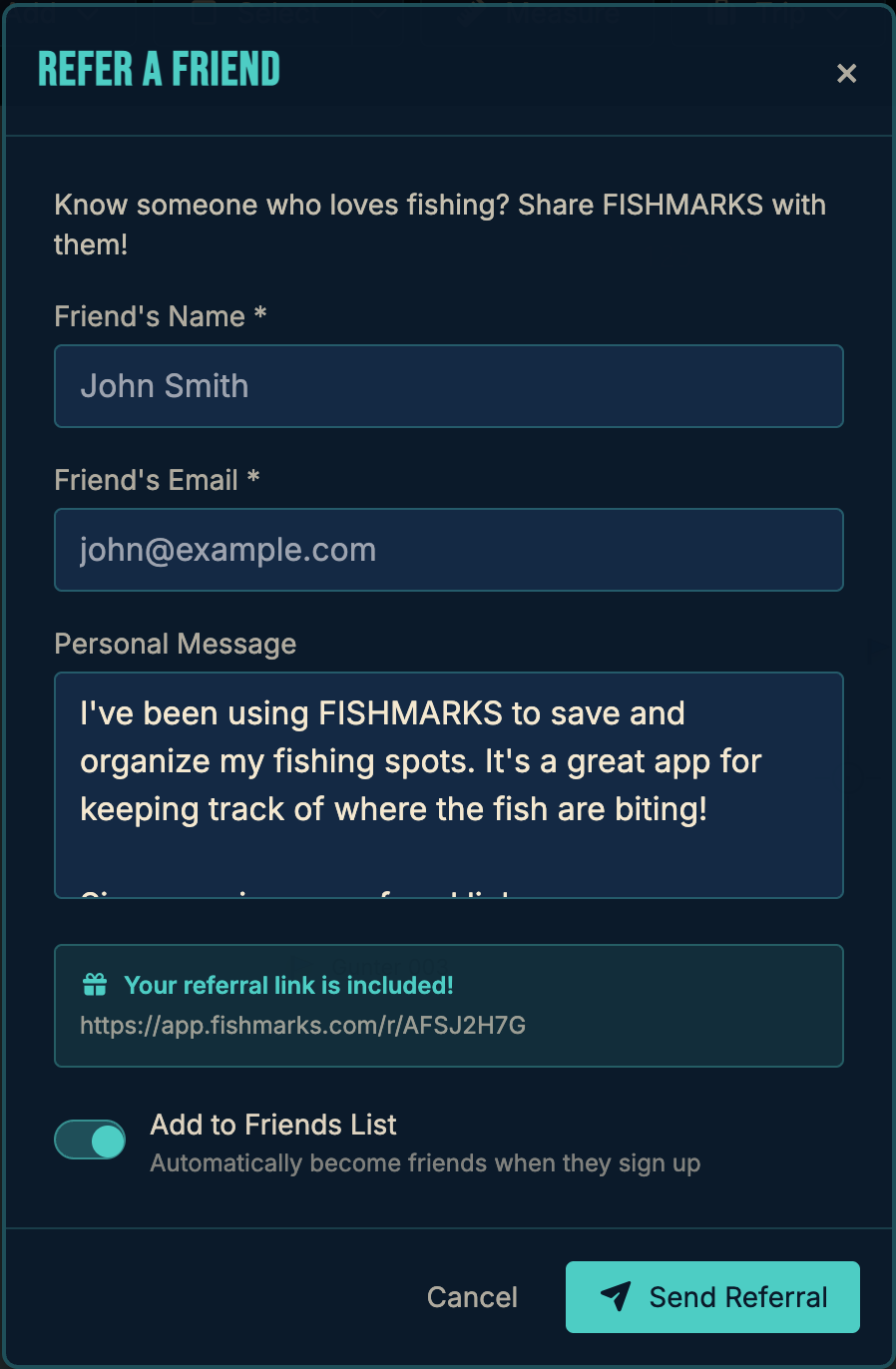
- Referral Program
- Email Support
Captain
- Fishmarks Web App (Browser)
- Fishmarks Connect App (iOS/Android)
- Cloud-sync
- UNLIMITED* Marks
- UNLIMITED* Lists & Dynamic Lists
- UNLIMITED* Catches
- UNLIMITED* Trips
- UNLIMITED* Routes
- Up to 500 Tracks
- Import/Export (GPX & CSV)
- Friends & Sharing
- Duplicate Cleanup Deluxe
- Bulk Mark Edits
- Trip & Catch Photos
- Emergency Help Guide (in App)
- Float Plans (Boater Safety)
- Weather Forecast
- Satellite Map
- NOAA Map & Relief
- Depth Soundings
- HD Sonar
- Wind & Rain Overlays
- Catch Heatmap & Analytics
- Mark Encryption
- Trash Recycle Bin
- Referral Program
- Email Support
- ❤️ Helps Captains for Clean Water
Angler normally $29.99/yr and Captain normally $59.99/yr — billed annually.
Subscriptions may be subject to sales tax depending on your state. States that currently collect tax include Hawaii, Ohio, Pennsylvania, Rhode Island, South Dakota, Washington, and West Virginia.
A portion of all paid subscriptions goes to Captains for Clean Water.
* UNLIMITED may be added, however there are practical hardware limitations and performance considerations. Numbers will vary, however the software has been tested successfully with 100,000+ marks and acceptable performance. Your experience may vary dependent on many variables.
Your Spots Are Your Business
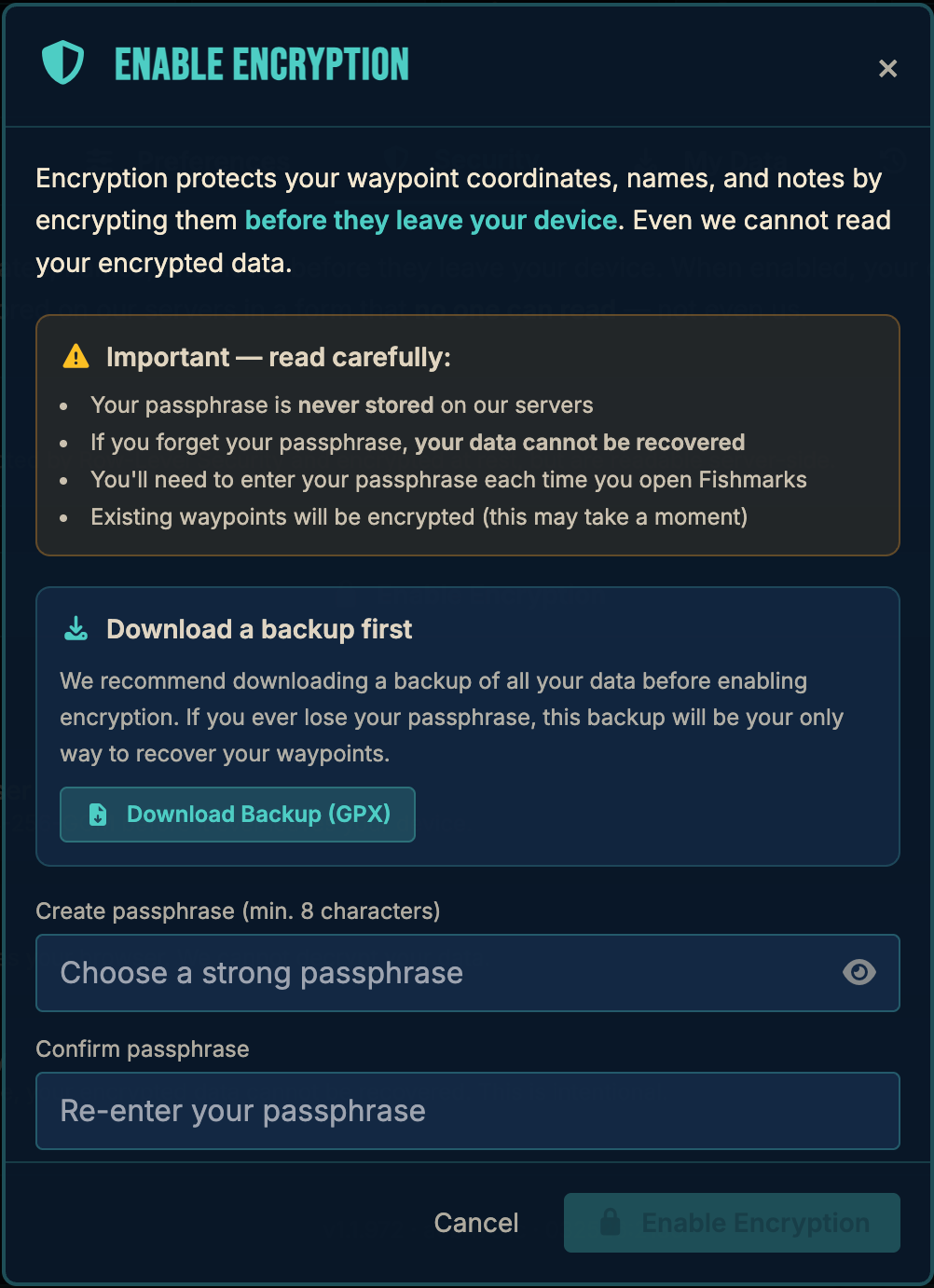
You can encrypt your coordinates with AES-256 in your browser before they ever leave your device. We can’t read them. No one can — except you.*
We build on infrastructure trusted by enterprises:
- Supabase — database & auth (SOC 2 Type 2, HIPAA-eligible)
- Cloudflare — hosting & DDoS protection (SOC 2 Type 2, ISO 27001)
- Stripe — payments (PCI DSS Level 1; we never see your card)
- Resend — email delivery (SOC 2 Type 2)
Fishmarks itself is not SOC 2 audited. We’re a small team that prioritizes reasonable, transparent security over compliance theater.
*Client-side encryption must be enabled by the user with a unique passphrase in account settings.
Come and Go As You Please
We never want to hold your data hostage. If FISHMARKS isn’t for you, your marks, tracks, and routes are just a few clicks away — exportable to GPX or CSV anytime.
Export Anytime
Download all of your marks, tracks, and routes whenever you want — even on the free plan. No paywall on your own data.
Standard Formats
GPX and CSV exports work with Garmin®, Lowrance®, Humminbird®, Simrad®, Raymarine®, and any tool that speaks GPS.
No Lock-In
Cancel any time. Your data stays yours and goes with you wherever you fish next — no hoops, no hassle.
Just a few clicks. That’s how easy it should be to take your fishing data with you.
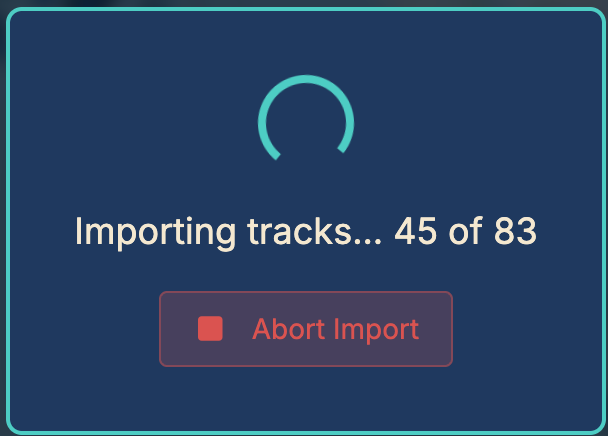
See It in Action
Explore the FISHMARKS experience.
Frequently Asked Questions
Is FISHMARKS free to use?
Yes! FISHMARKS offers a free tier with up to 250 marks, GPX and CSV import/export, catch and trip logging, list sharing, and more. No credit card required. Paid plans start at $16.99/year for features like cloud sync, satellite maps, NOAA nautical charts, weather, tides, and more.
Can I import GPS waypoints from my fish finder or chartplotter?
Yes. FISHMARKS supports importing waypoints from GPX and CSV files, making it easy to bring in marks from Garmin®, Lowrance®, Humminbird®, Simrad®, Raymarine®, and other GPS devices. You can also export your FISHMARKS data back to GPX or CSV to load onto your device.
Can I manage and convert GPX files with FISHMARKS?
Yes. FISHMARKS makes it easy to manage your GPX files. Import GPX files from any device or software, view and edit your waypoints on the map, organize them into lists, and export back to GPX or CSV when needed. It works as a GPX file manager, viewer, and converter all in one — no desktop software required.
Does FISHMARKS work on my phone, tablet, or computer?
Yes. FISHMARKS is a web application that runs in any modern browser — Chrome®, Safari®, Firefox®, or Edge® — on phones, tablets, laptops, and desktops. No app store download is required. With a paid plan, your marks sync across all your devices via the cloud.
Can I share my fishing spots with friends?
Yes. You can share waypoint lists with friends, control who sees your spots, and collaborate — even on the free plan.
Are my fishing spots secure?
Yes. Your data is never shared with other users. Free accounts store data locally in the browser, and paid accounts store data in a secure cloud. For additional protection, paid plans offer optional client-side encryption. You create a passphrase (minimum 8 characters) that derives an AES-256-GCM encryption key using PBKDF2 with 600,000 iterations. Your waypoint names, GPS coordinates, and notes are encrypted in your browser before being sent to our servers — the data stored in our database is unreadable ciphertext that even we cannot decrypt. To enable encryption, go to Settings > Security and toggle it on. Note: icon, depth, tags, and dates are not encrypted as they are needed for filtering and display. If you forget your passphrase, your encrypted data cannot be recovered — this is by design, as only you can decrypt your waypoints.
What maps and charts are available?
The Angler plan includes NOAA nautical charts, high resolution satellite imagery, ocean bathymetry maps, depth soundings, catch analytics and heatmaps, weather forecasts, tide predictions, and moon phase data. The Captain plan adds live radar overlays and wind overlay visualization.
What is a "mark" in FISHMARKS?
A mark is simply a GPS waypoint — a saved latitude and longitude coordinate on the map. Anglers commonly refer to their saved fishing spots as "marks" or "numbers," so we use that terminology. If you're familiar with waypoints on a Garmin, Lowrance, Humminbird, or any other GPS/chartplotter, a mark in FISHMARKS is exactly the same thing.
Is FISHMARKS a good replacement for Garmin HomePort™?
Yes. Garmin HomePort™ was discontinued in 2019 and is no longer supported or available for download. FISHMARKS is a modern, web-based alternative that lets you import your Garmin GPX waypoints, view them on a map, organize them into lists, and export them back to GPX or CSV. Unlike HomePort, FISHMARKS runs in your browser on any device — PC, Mac, phone, or tablet — with no desktop software to install. It also adds features HomePort never had, including catch and trip logging, friend sharing, NOAA charts, satellite imagery, weather, tides, and more.
Is FISHMARKS a good replacement for Garmin Basecamp™?
Yes. Garmin BaseCamp™ is a desktop application that Garmin has largely deprioritized in favor of its mobile apps, and many users find it clunky, outdated, and difficult to use. FISHMARKS is a modern, web-based alternative that runs in any browser — no software to install, no compatibility headaches. You can import your BaseCamp GPX waypoints directly into FISHMARKS, view them on interactive maps with satellite imagery and NOAA nautical charts, organize them into lists, and export back to GPX or CSV for your chartplotter. FISHMARKS also goes well beyond what BaseCamp offers, with catch and trip logging, friend sharing, weather forecasts, tide predictions, cloud sync across all your devices, and optional military-grade encryption for your fishing spots. If you've been frustrated with BaseCamp, FISHMARKS is the upgrade you've been looking for.
How does FISHMARKS compare to Garmin ActiveCaptain®?
Garmin ActiveCaptain® is tied to Garmin hardware and primarily designed for syncing waypoints between your Garmin chartplotter and phone. FISHMARKS is brand-independent — it works with GPX waypoints from Garmin, Lowrance, Humminbird, Simrad, Raymarine, and any other device that exports GPX files. FISHMARKS also offers richer features like catch logging with photos, trip diaries, friend list sharing, multiple map layers (NOAA, satellite, bathymetry, radar), weather forecasts, and tide predictions. If you fish with friends who use different GPS brands, FISHMARKS gives everyone a single shared platform.
Can FISHMARKS replace the Simrad® Boating app or Navionics® Boating app?
Yes. The Simrad® Boating app and Navionics® Boating app are designed around their own hardware ecosystems. FISHMARKS works with waypoints from any brand via standard GPX and CSV file formats. Import your Simrad or Navionics waypoints into FISHMARKS, combine them with marks from other devices, organize everything into lists, and share with your crew — regardless of what hardware they use. FISHMARKS also adds catch and trip logging, cloud sync across devices, NOAA nautical charts, ocean bathymetry, weather, tides, wind, and moon phase data.
Where can I get or buy fishing waypoints?
There are several independent vendors that sell GPS fishing waypoint packages for reefs, wrecks, ledges, hard bottom, and other productive structure. You can purchase their waypoint files (typically GPX or CSV format) and import them directly into FISHMARKS using the Data > Import menu. We maintain a directory of waypoint vendors to help you find spots for your region. Please note: these vendors are independent businesses and are not affiliated with, endorsed by, or partnered with FISHMARKS. We list them as a convenience for our users. Always do your own research before purchasing.
Will FISHMARKS automatically sync to my chartplotter?
Not at this time. Currently, you can export your marks from FISHMARKS as GPX or CSV files and load them onto your chartplotter manually. We don’t yet have direct integration with device manufacturers like Garmin®, Lowrance®, Humminbird®, or Simrad® — but it’s something we’re actively working toward. Our hope is to eventually partner with the major manufacturers to enable automatic syncing between FISHMARKS and your chartplotter or their cloud platforms. Stay tuned!
Can I delete my data without deleting my account?
Yes. You can remove your data while keeping your account. To delete all marks, go to Data > Delete All Marks. To delete individual catches, trips, routes, or lists, open the item and use its delete option. This lets you start fresh without losing your account or subscription. If you have any questions, please reach out using our Contact form or email us at [email protected].
How do I permanently delete my account and all of my data?
To delete your account and all associated data, open the FISHMARKS app and go to Settings > Account > Delete Account. This will permanently remove your account, marks, catches, trips, and all other data from our servers. This action cannot be undone. If you have any questions or need assistance, please reach out using our Contact form or email us at [email protected].
Questions & Support
Have a question, suggestion, or just want to say hello? Drop us a line.